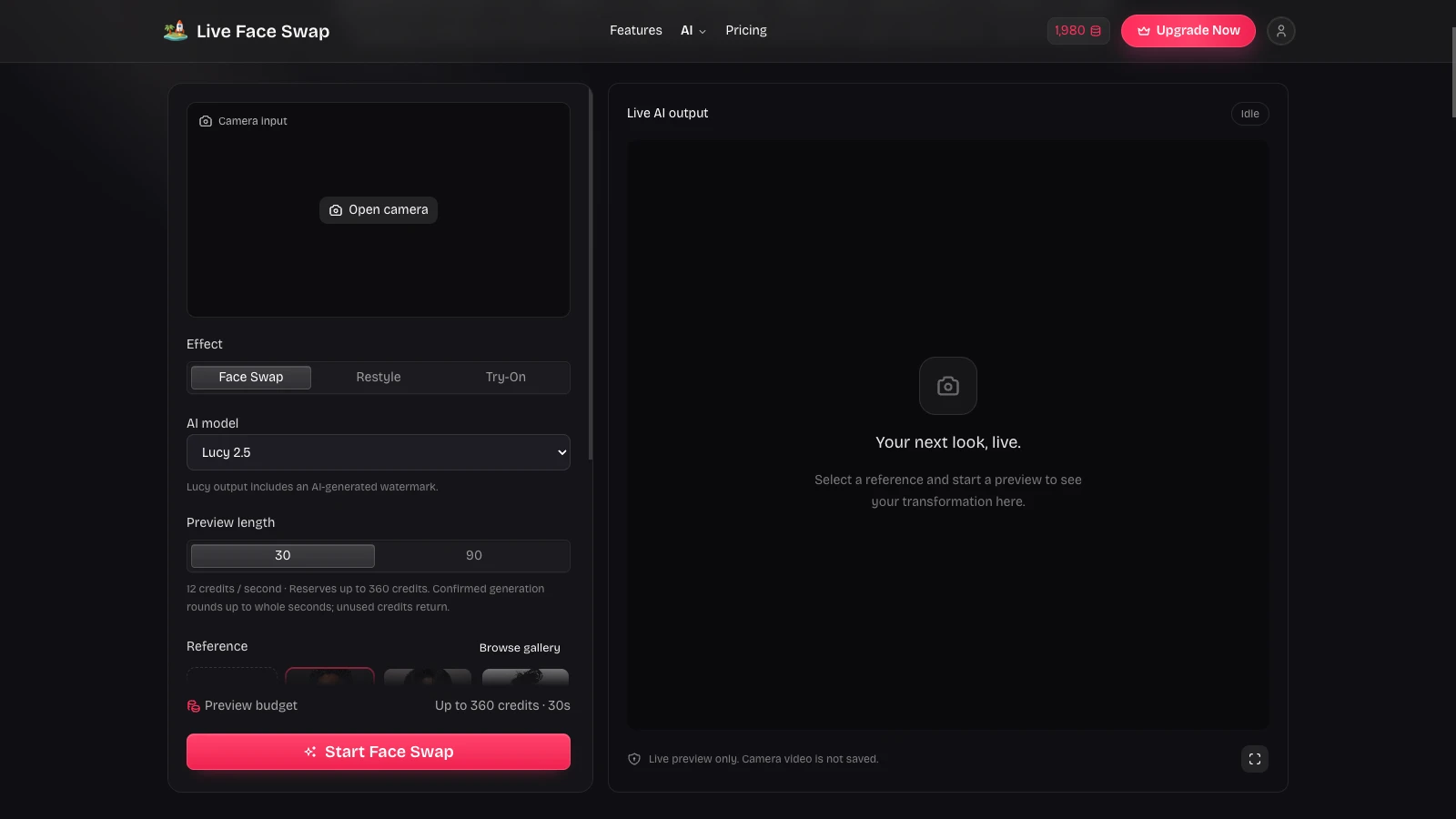

Live Face Swap with Real-Time AI

Use live face swap to try a different on-camera identity, restyle your appearance, or preview an outfit. Choose a reference image and compare your camera with live AI video, right here in your browser.

Workspace view

Compare a Live Face Swap Before and After

Compare the starting look with its transformations in the same recorded example. Switch between a live face swap, a character style, and outfit changes, then use the player to watch movement.

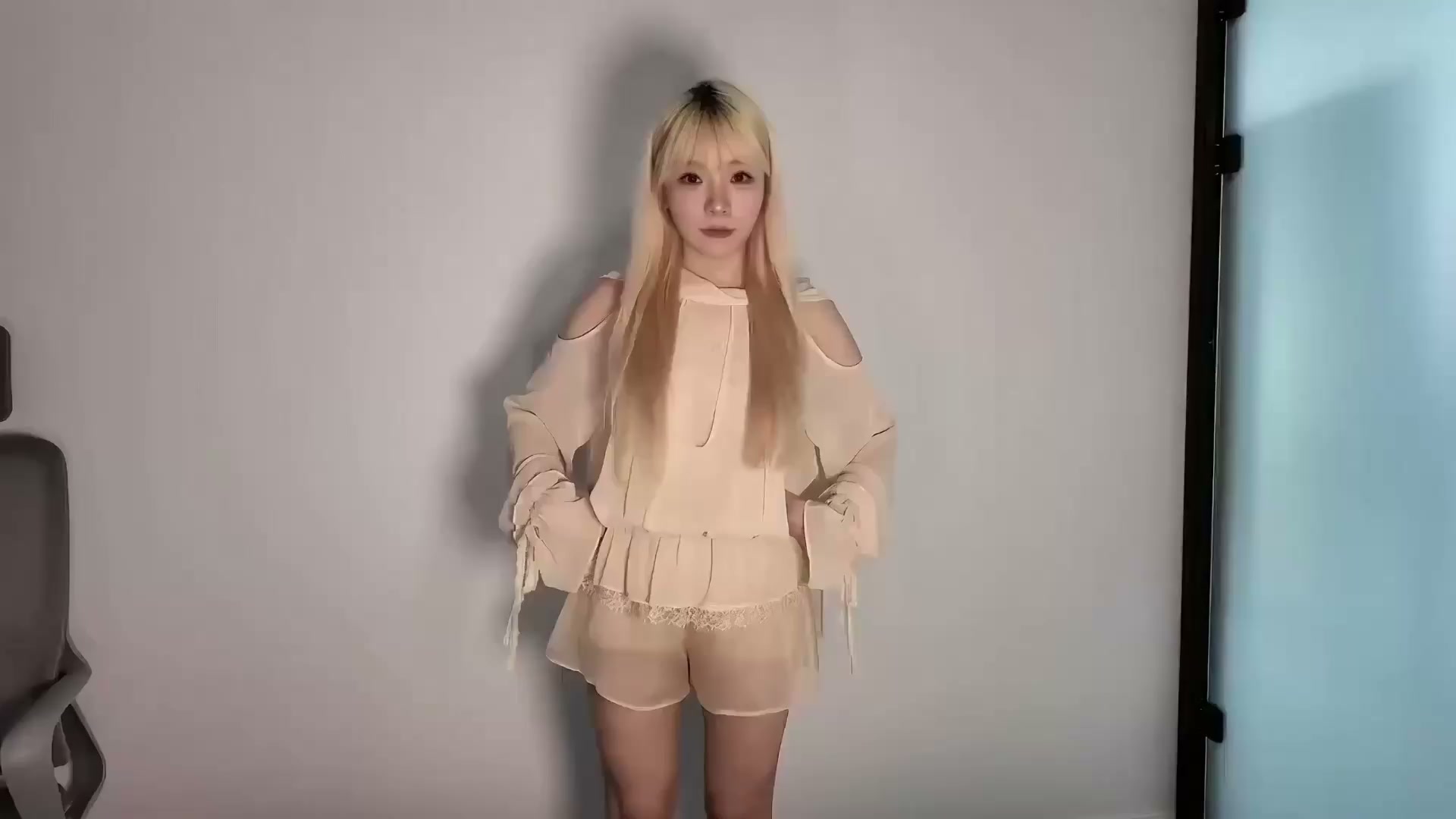
Starting frame from the competitor Face Swap demonstration
Starting look · first frame of the same recording
Watch the same scene move from its starting look to different character identities in this live face swap demonstration.

Illustrative demos from our competitor. These are examples of the effects, not recordings generated by this website.

How to Start a Live Face Swap

Set Up Your Preview

Choose Your Starting Look

Pick a portrait from the gallery or upload an image you have permission to use. Keep the subject clear and easy to recognize.

Frame Your Camera

Open your camera, choose Face Swap, Restyle, or Try-On, then select XMAX or Lucy and the preview length that suits your idea.

Compare and Refine

Start your live face swap, compare both views, and stop when you are ready. Try another reference, improve the lighting, or adjust your framing.

More Ways to Shape Your Camera Look

Competitor face swap example showing a transformed performer in front of bookshelves

Live Face Swap from a Portrait

Try a different identity while keeping a live view of your own camera alongside the result. A clear portrait helps you explore how a new face responds to your position and expression before choosing your next look.

Try Face Swap

Competitor restyle example showing a red-turtleneck character in an animated treatment

Restyle Your Live Camera

Explore a character or visual style rather than changing only the face. Use Restyle with a reference to see a different creative direction, then compare how the two models interpret the same scene and movement.

Explore Live Restyle
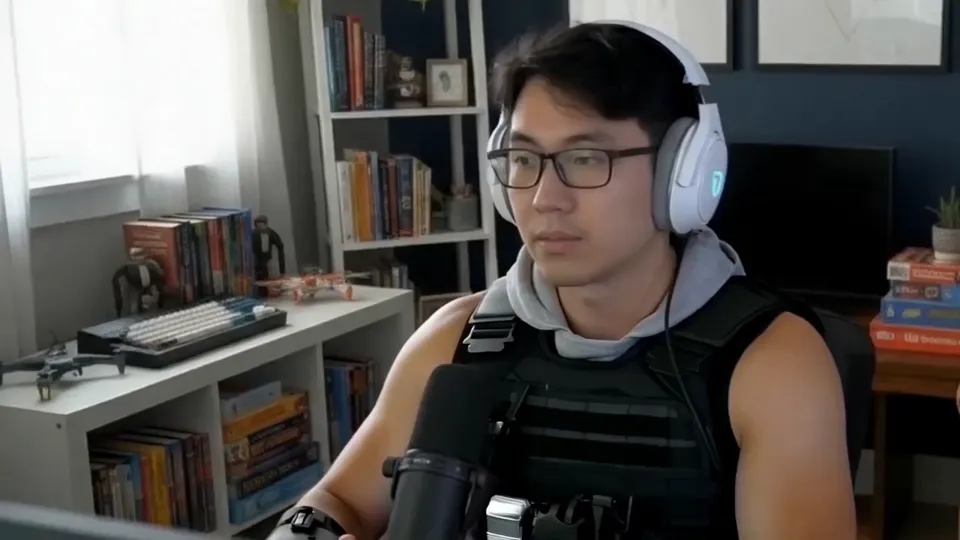
Competitor try-on demonstration frame showing a man wearing headphones and a tactical vest

Preview an Outfit with Try-On

Use a clothing reference to explore a different outfit on camera. Try-On helps you compare a look as you move, with results that remain AI interpretations rather than a guarantee of garment fit, sizing, or exact fabric detail.

Preview an Outfit
Our live face swap workspace showing camera controls, model selection, references, and the AI output panel

Keep Your Live Face Swap Setup

Save your chosen effect, model, reference, and pinned favorites to your account. Return in a new browser session and pick up the same setup, with your uploaded references kept private to your account instead of mixed into the public gallery.

Choose Your Reference

Make Each Live Face Swap Easier to Explore

Explore Three Creative Directions

Explore live face swap, a character style, or an outfit idea from the same workspace, without rebuilding your camera setup each time.

Keep References Close

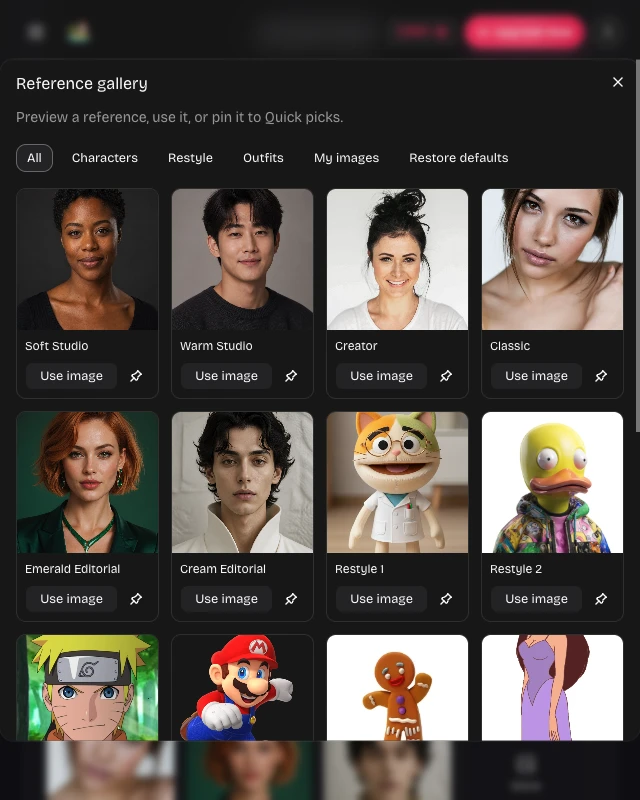
Pin up to six favorite references for quick access. Browse categories, inspect a larger preview, and choose the image that matches your current idea.

Our reference gallery showing categorized portraits and pin controls for a live face swap setup

Compare Two AI Models

Choose XMAX 2.0 or Lucy 2.5 for your live face swap. Compare their interpretation of a reference while keeping the same familiar controls.

Stay in Control

Choose a short or longer preview and stop whenever needed. Your saved references remain available. Limited private still-image samples support safety review; sessions are not continuously recorded.

Live Face Swap Questions, Answered

Logo

Find Your Next Live Face Swap Look

Choose a reference, frame your camera, and explore a face, character, or outfit idea in a live preview you can compare as you move.

Start Your Live Preview